Introduction
The Claim Selector interceptor allows users to select what value of a specific claim type that they want to return to a service provider. For example, a user can have multiple roles in your organization and you want he or she to select a single role to return to a service provider.
How to setup
Steps to set up a test:
- Create a new free claim:

Open a user and set a value for it: role1;role2
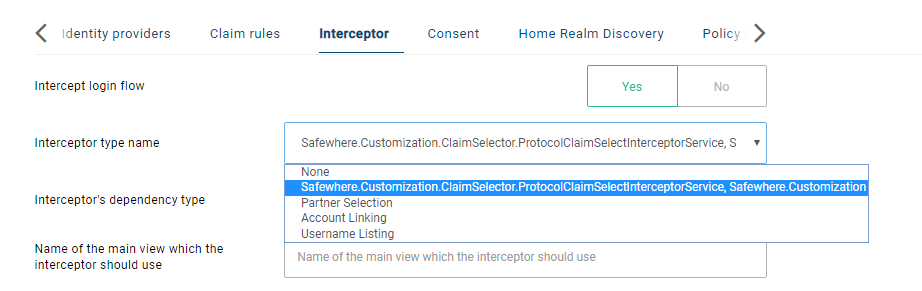
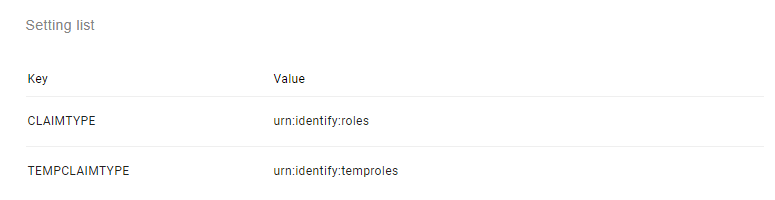
Open a SAML 2.0 protocol connection and select the "Safewhere.Customization.ClaimSelector.ProtocolClaimSelectInterceptorService, Safewhere.Customization" interceptor:
Log in with the user.
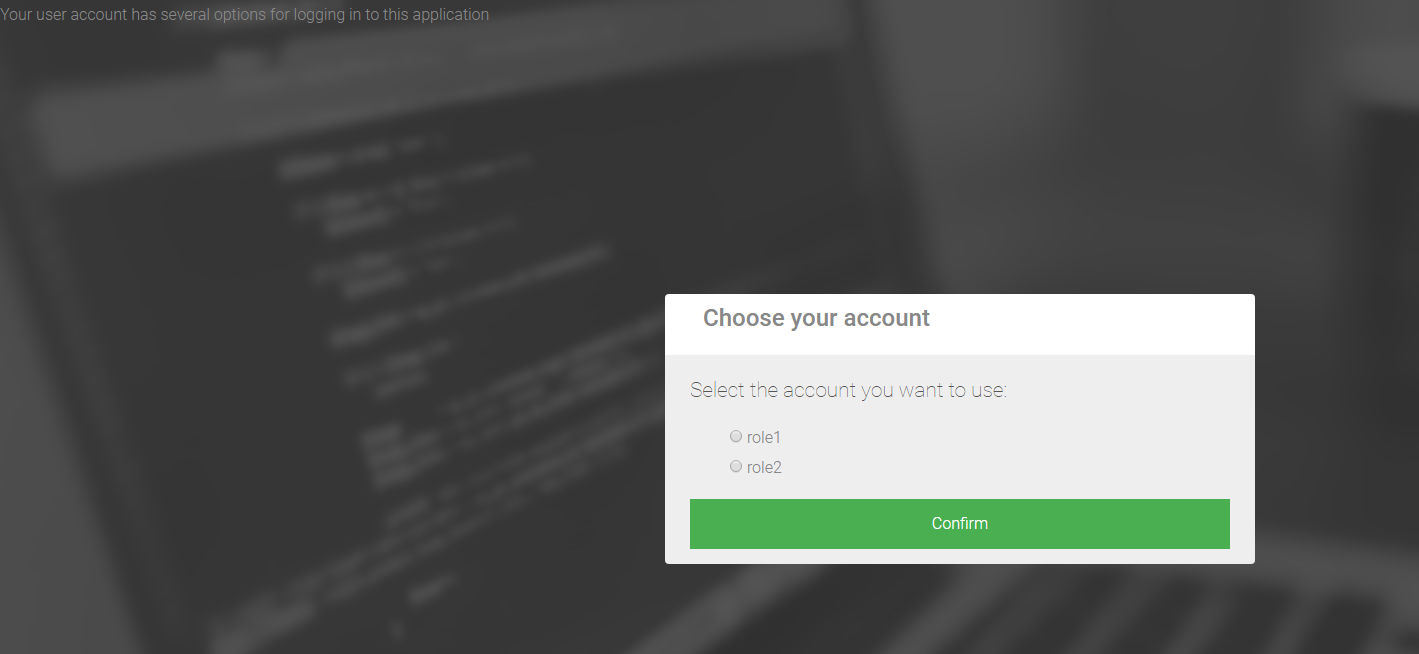
The interceptor should show up to ask you to select a claim.
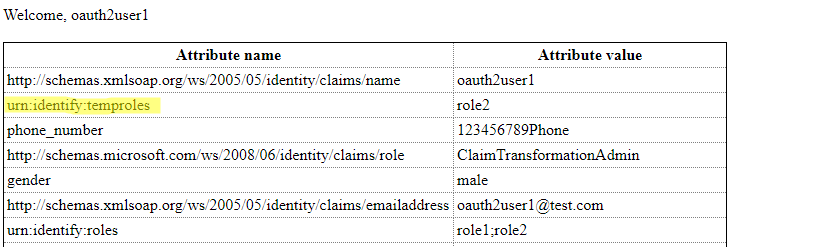
- Result: