Restore deleted users in Identify
Overview
This document describes the feature for retaining and restoring deleted users in Identify. It covers the new Safewhere Admin settings, the data written during user deletion, and the restore process.
New settings in Safewhere Admin
Retention period for deleted users
A new setting has been added to Safewhere Admin:
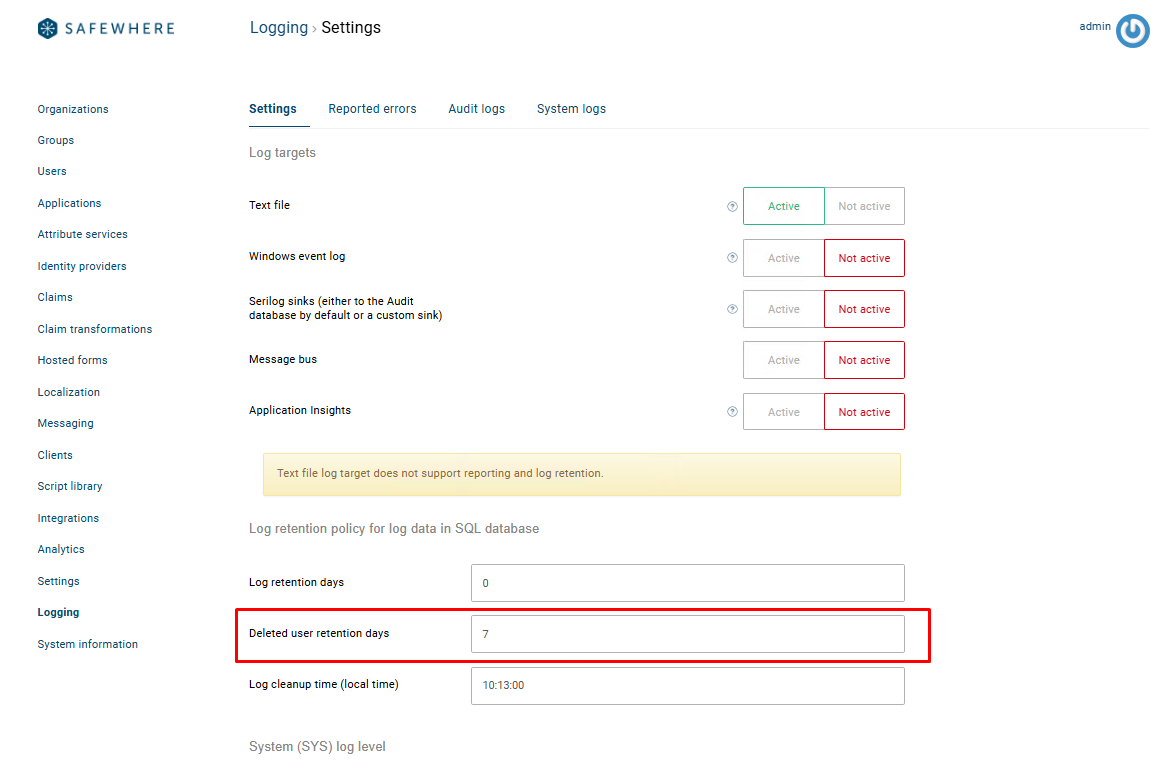
| Setting | Default Value | Description |
|---|---|---|
Deleted user retention days |
0 |
Configures the number of days deleted-user data is retained in IdentifyAudit before being permanently removed by the scheduled cleanup job. |
Note: A value of
0means deleted users are immediately permanently removed.
New audit log type
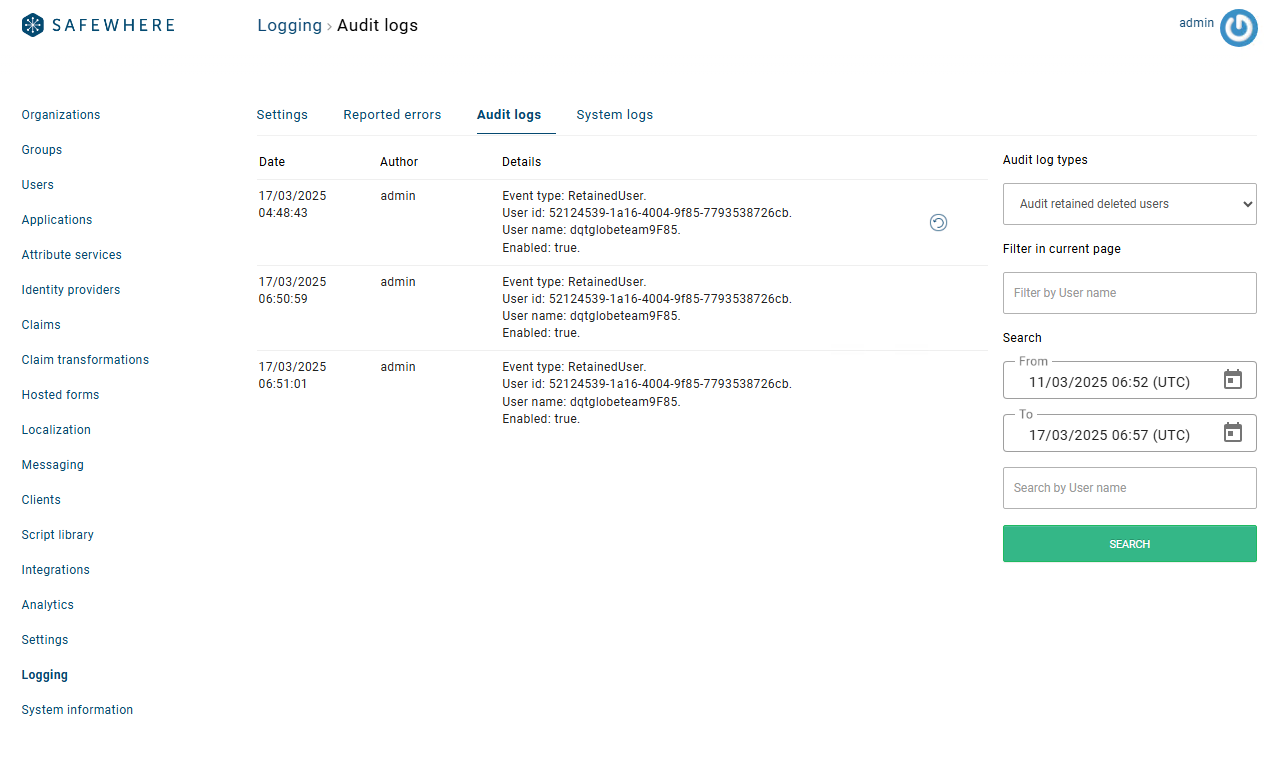
A new audit log type has been introduced to display all retained deleted users. From this view, administrators can initiate the restore process for any retained deleted user.
User deletion flow
When a user is deleted from Identify, the following data is removed from the Identify database and retained in the IdentifyAudit database:
- User information: User ID, username, enabled status, and related profile data.
- User claims: Registered individual claim values (free and discrete).
- Registered MFA devices.
- Registered OAuth access tokens.
- Password requests.
- Old password history.
- User consents.
- Logged persistent pseudonyms.
- Password login attempts.
Additionally, the following records are written to the IdentifyAudit database:
A
RetainedUserentry is inserted into theAuditEventtable.A
RetainedUserreference record is inserted into theAuditUsertable.The deleted user's claims and non-claim data are inserted into the
AuditUserClaimtable under the claim typeurn:Identify:retaineduser:nonclaims.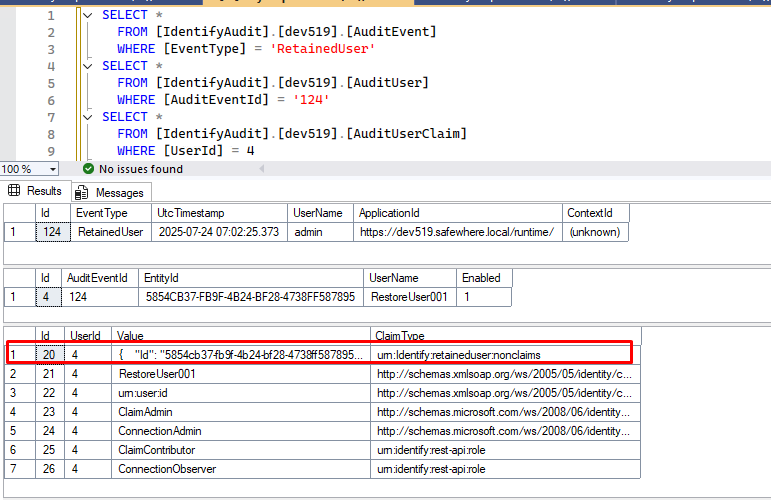
Its non-claims data is stored as a structured JSON payload. See the attached file SampleRetainedUser-NonClaims.json for a full example of the data structure.
User restore flow
Initiating a user restore
To restore a deleted user:
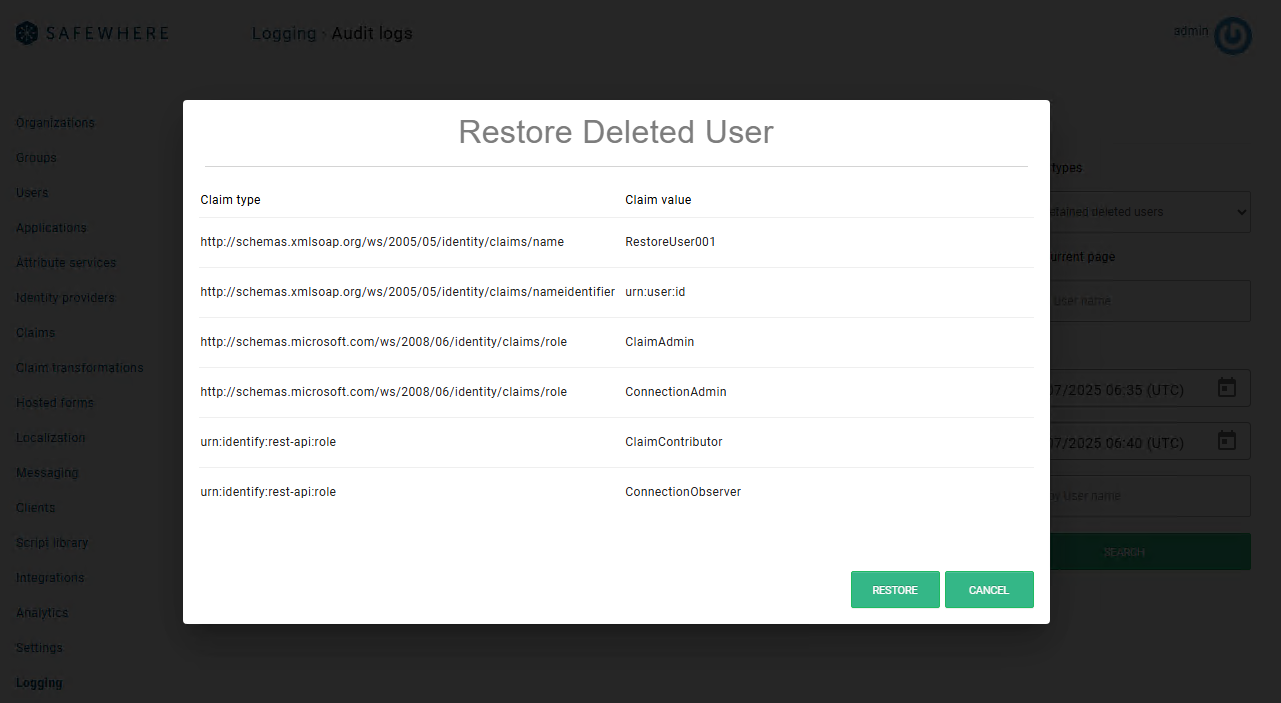
- Navigate to the Audit Logs section and select the retained deleted users view.
- Click on the deleted user you wish to restore.
- A dialog will appear displaying the user's claims for review.
What happens during restore
When a user is restored, the following data is reinstated:
- User information: User ID, username, enabled flag, organization, group, force reset password flag, password,
ActAsServiceUrls,UserContext,ExtendedAttributes,ExternalId, certificates,LastLoggedInDateTime, andLastChangedPasswordDate. - User claims: Registered individual claim values (free and discrete).
- Registered MFA devices.
Additional notes
LastChangedPasswordDateis currently set to the restoration time.- When a user is restored, the action is logged as the
InsertUseraudit event because theInsertmethod is used to re-insert the user. - Claims that no longer exist in the system are skipped during restoration.
- Any errors encountered during user recreation (such as duplicate unique claims) are logged and reported as usual.
- The following records are updated in the IdentifyAudit database:
- The
RetainedUseraudit event record is removed. - The claim entry for
urn:Identify:retaineduser:nonclaimsis removed.
- The
Deleted user data cleanup
Once the retention period has passed, a cleanup job permanently removes the deleted user data.